Your personal AI that talks, works and remembers.
AURON ONE is an AI assistant for your PC and your phone. Talk to it in real time in Bangla, English or any language. It hands work to a team of AI agents, controls your apps, keeps your notes and tasks, and remembers your conversations like a person would.
One command center, on every screen
The PC app is a full dashboard: live voice core, agents, system health, files and a terminal. The phone app puts the same assistant in your pocket.
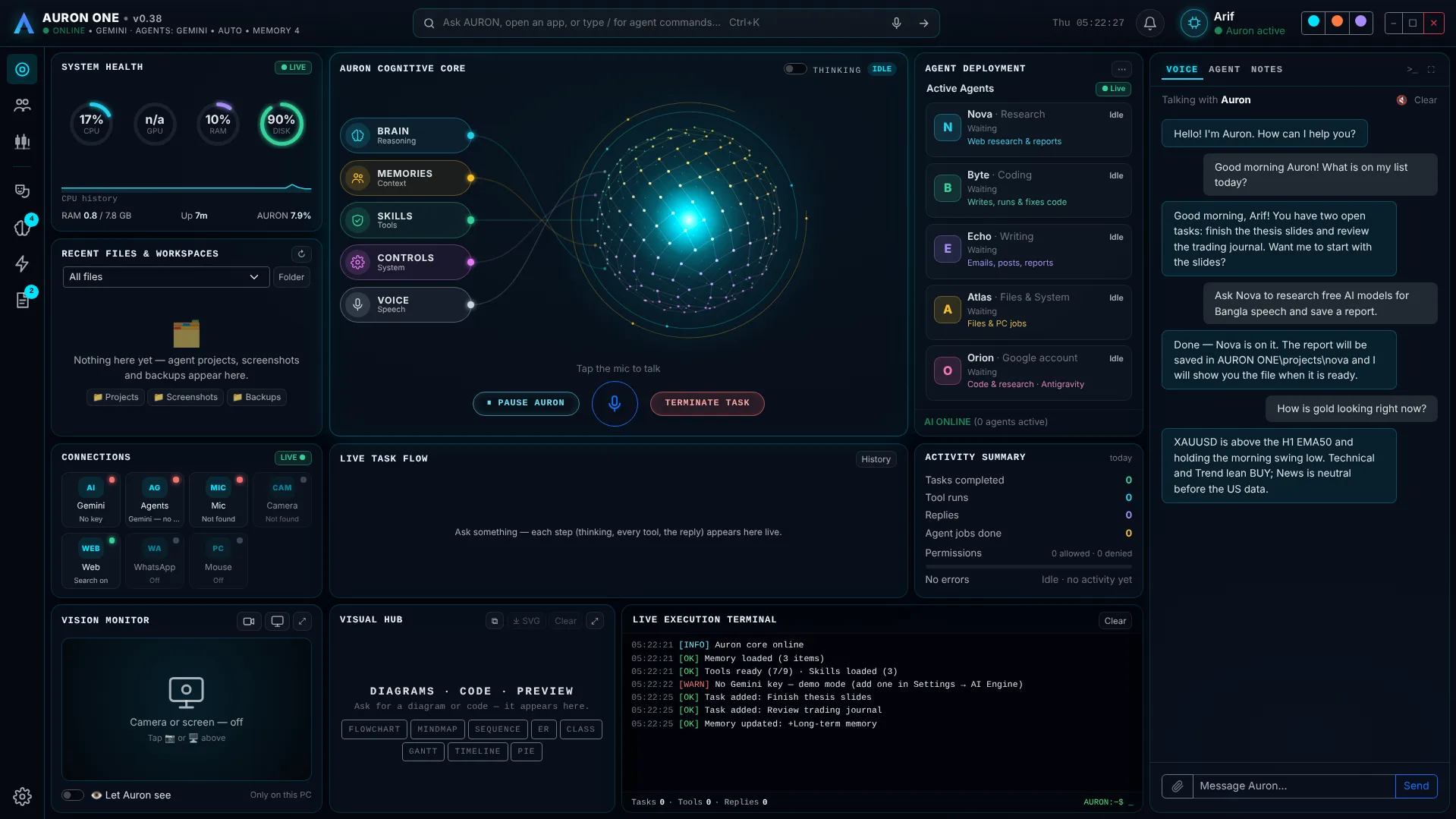
Aura core with live nodes, agent cards, system health, recent files, live task flow and the assistant panel.
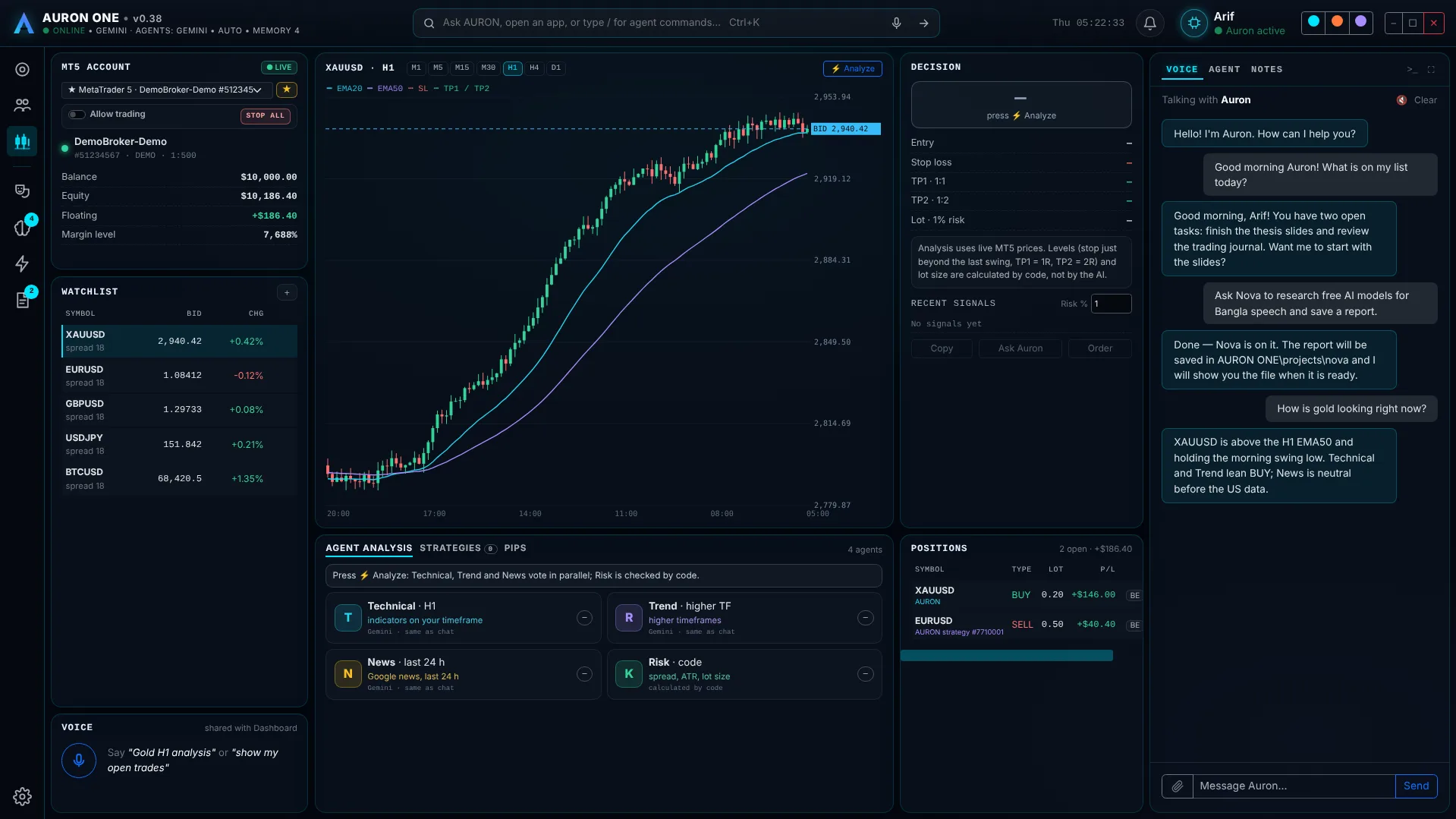
MT5 account, watchlist, candle chart with EMA20 / EMA50, agent analysis and open positions.
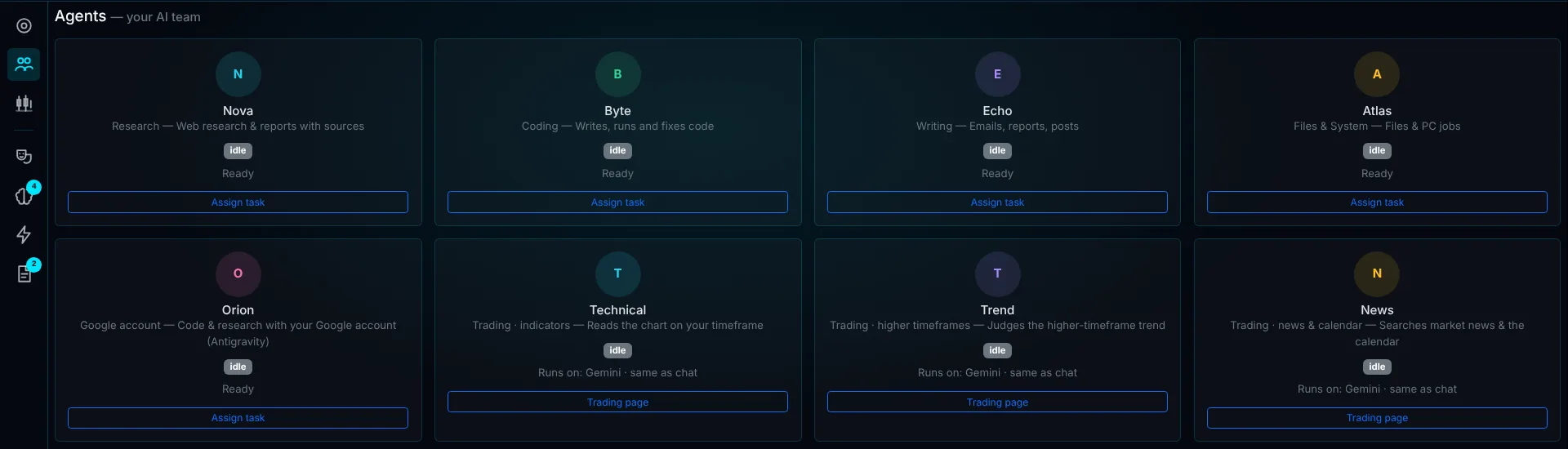
Your AI team: each agent can run on its own AI provider and model.
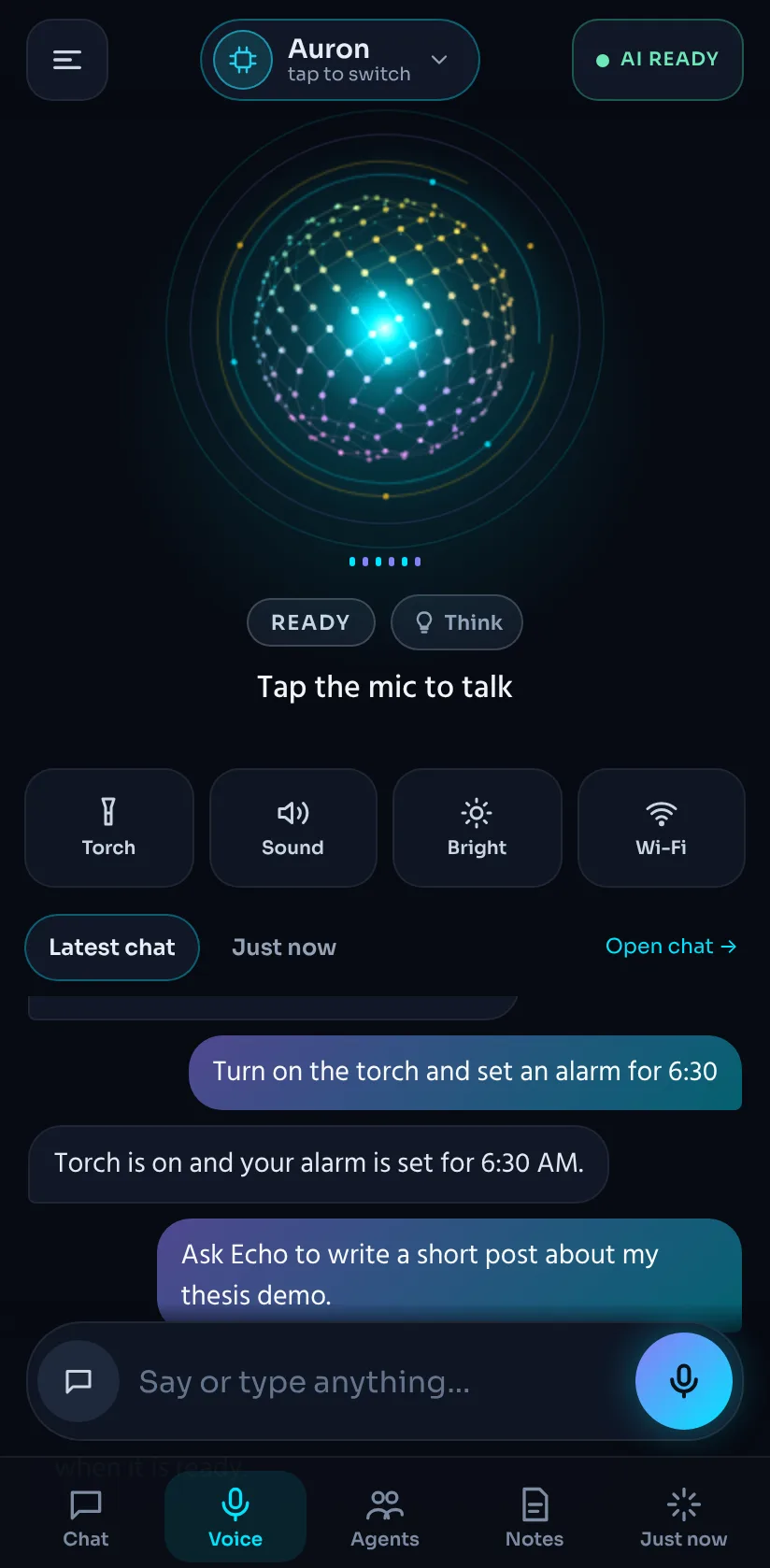
Voice home
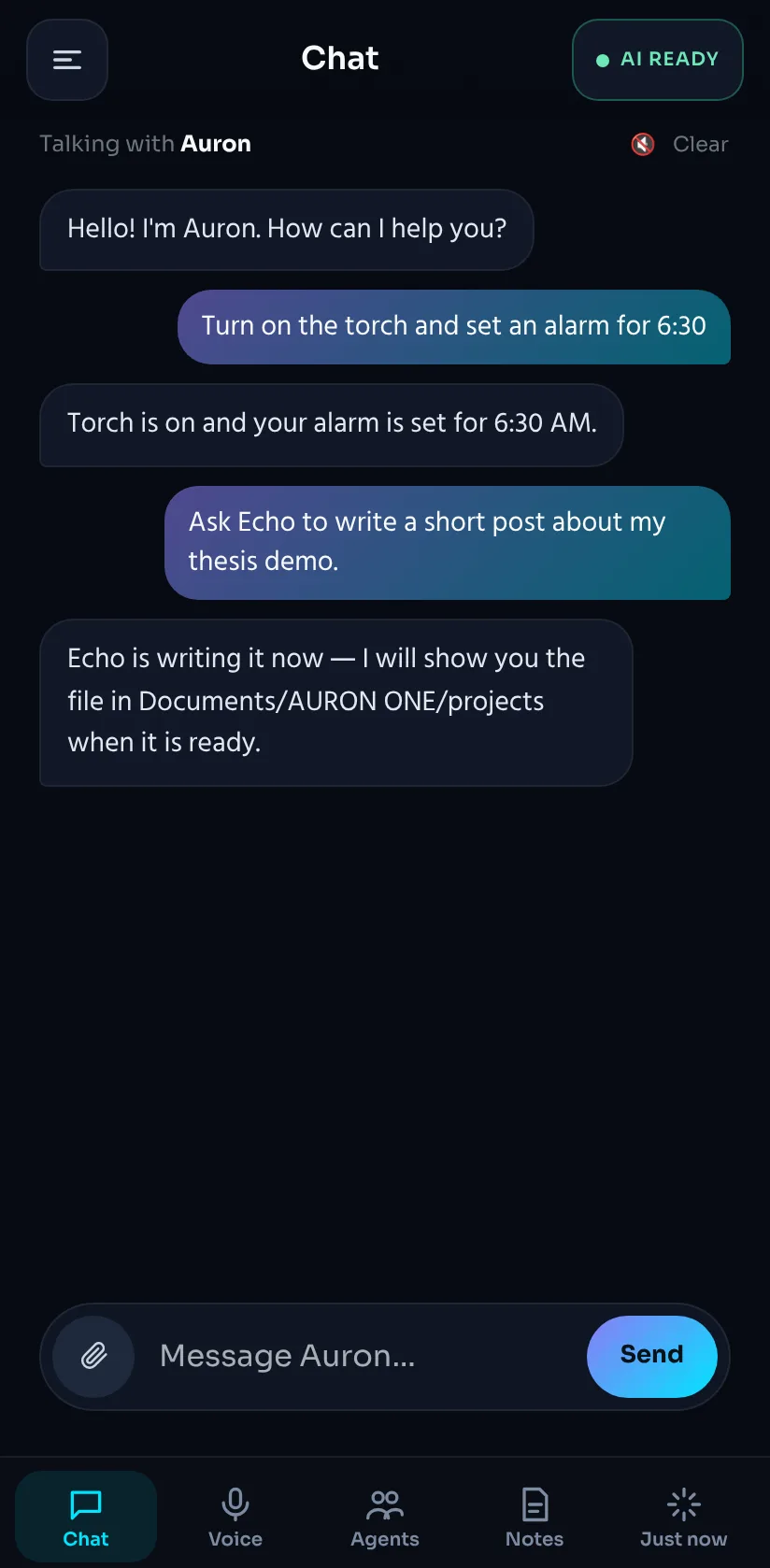
Chat
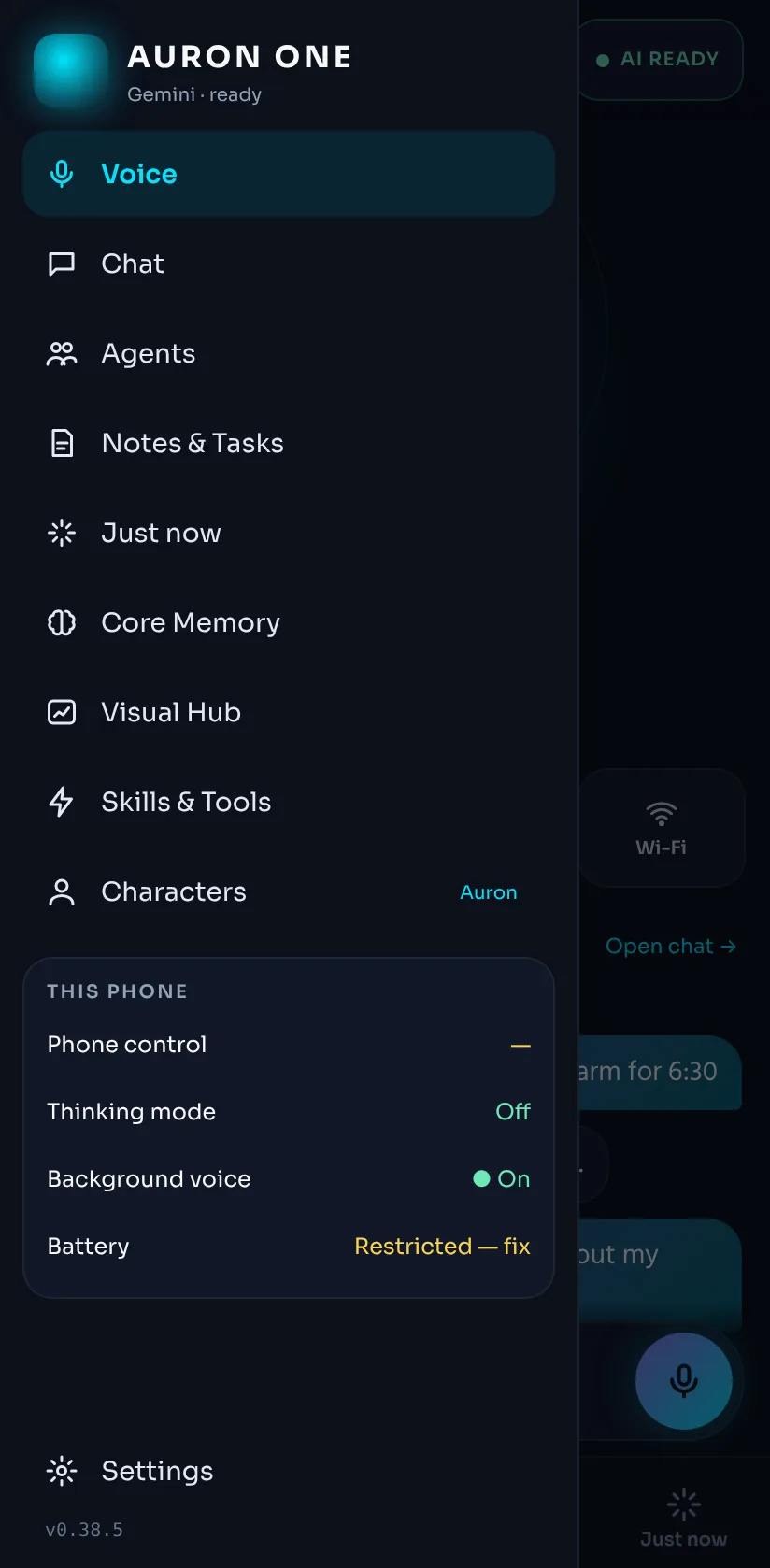
Menu
Screenshots show demo data (a demo MT5 account, sample chat).
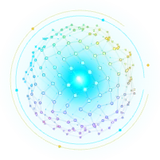 Aura
Aura Orb
Orb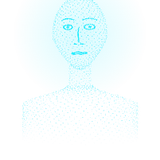 Hologram
 Character
Everything it can do today
Built step by step over 38 versions. PC means the Windows app, Phone the Android app.
Real-time voice
Natural conversations with Gemini Live — interrupt it, switch languages, keep talking.
- Bangla, English and 20+ languages
- "Hey Auron" wake word, double clap, push-to-talk
- Smart noise handling and a ✓ Done button
- Accurate Bangla text with Groq Whisper (optional)
AI agent team
Give bigger jobs to agents that work in the background and report back with files.
- Research, code, writing, files and PC jobs
- Orion uses your Google account, Claude Code your Claude account
- Waits out rate limits and resumes on its own
Memory that remembers you
Turn it off and on again — it still knows what you talked about.
- Core memory and self-learned lessons
- Conversation diary for the last 30 talk-days
- Follow-ups ("how did the exam go?") and a welcome back
PC control
Say it and it happens on Windows.
- Open apps and sites, manage windows
- Volume, brightness, media keys, lock, sleep
- Find, open and organise files; run code
- Mouse & keyboard control — off until you allow it
Phone control
An Android app with background voice and real phone actions.
- Open apps, links, YouTube, alarms and timers
- Torch, silent mode, brightness, Wi-Fi, volume
- Read the screen, tap and type — only after you turn it on
- Payments, bank apps and "close all" always ask first
Vision
AURON can see what you see — when you let it.
- Look at the screen and explain or click things
- Camera and screen share in voice calls
- Looks at its own window to check itself
AURON Screen & windows
Floating holographic windows for whatever you ask for.
- Music and videos (YouTube player, voice control)
- Mini browser, PDF and image viewer
- 3D model viewer (.glb / .gltf)
- Open sites in the right Chrome profile
Notes, tasks & documents
Your daily organiser, run by voice.
- Notes, tasks with due dates and priorities
- PDFs from any text, in any language
- Diagrams, code view and live HTML preview
- Skills: your own step-by-step routines
Files, projects & backup
One folder, one backup format, on both devices.
- Agent files saved in AURON ONE/projects
- Backup & restore with a .auron file — PC ↔ phone
- API keys inside the backup only with your password
Any AI you like
Set up each AI once, like a payment gateway, then pick one per agent.
- Gemini, OpenRouter (free models), Groq, ChatGPT
- Claude, DeepSeek, Mistral, xAI, Z.ai, local servers
- Automatic backup AI when one runs out
Characters
Nine built-in personalities plus your own — each with its own voice, style and look.
- Switch by voice: "talk like Mentor"
- Four core looks: Aura, Orb, Hologram, Character
Private and careful
Safety is built in, not added later.
- API keys encrypted (Windows safeStorage, Android Keystore)
- Risky actions show Allow / Deny first
- Self-editing code only in Developer mode
- Chat text shown in English if you like
Meet the agents
Ask AURON, and it hands the job to the right agent. Each one can run on a different AI and model.
Nova
Web research and reports with sources.
Byte
Writes, runs and fixes code.
Echo
Emails, posts, reports and drafts.
Atlas
Organises files and does PC jobs.
Orion
Code, research and pictures with your Google plan.
Claude Code
Bigger coding jobs with your Claude plan.
Technical & Trend
Read the chart on your timeframe and higher ones.
News
Market news and the economic calendar.
A trading desk you can talk to
Connect AURON to MetaTrader 5 on your PC. Ask "gold H1 analysis" or "show my open trades" — by voice or text.
- Live data — account, watchlist, candle chart M1–D1 with EMA20 / EMA50, several MT5 terminals.
- ⚡ Analyze — Technical, Trend and News agents vote; stop loss, TP1 / TP2 and lot size are calculated by code, not guessed by the AI.
- Orders — market, limit and stop orders, modify, breakeven, close all or part.
- Strategies from chat — describe your rules, AURON backtests them and runs them with daily limits and a journal.
- Pip calculator — pip size per symbol, the same rules as your EA.
From a small Python script to a full assistant
Every version was built, tested and used day by day. Here is how it grew.
- The beginning2026
A Python prototype
The first AURON was a desktop app in Python with CustomTkinter, inspired by sci-fi assistants. It proved the idea — then it was rebuilt from scratch.
- v0.1 – v0.9Rebuilt on Electron
The assistant takes shape
A new Windows app on Electron and Gemini: streaming chat, Gemini Live real-time voice, the first four agents (Nova, Byte, Echo, Atlas), PC control, WhatsApp, notes, tasks, memory and the Visual Hub.
- v0.10 – v0.13Command design
The command-center dashboard
A one-screen dashboard with the Aura core and live nodes, TERMINATE TASK, Vision Monitor (camera and screen), mouse & keyboard control, backup & restore, and a fluid layout that fits small screens like a Surface Pro.
- v0.14 – v0.15October 2026
Stronger and lighter
Agents that survive rate limits, PDFs from text, any language everywhere, a mute that really stays muted, much lower CPU use, and Groq Whisper for clean Bangla text.
- v0.16 – v0.19October 2026
It starts to learn
Orion joins (your Google account), AURON writes its own lessons after mistakes, checks itself and keeps a daily journal, and — in Developer mode only — can propose fixes to its own code with backup and rollback.
- v0.20 – v0.23October 2026
Any AI, floating windows
AI Connections (Gemini, OpenRouter, Groq, ChatGPT, Claude and more) per agent, Claude Code as an agent, AURON Screen with a media player, mini browser and 3D viewer, Chrome profiles, and the Dev Center.
- v0.24 – v0.30October 2026
AURON on Android
The phone app: voice that keeps going in the background, opening apps, calls and alarms, phone control through Accessibility, keys in the Android Keystore, a new phone design and quick controls (torch, silent, brightness, Wi-Fi).
- v0.31 – v0.36October 2026
It remembers you
Chat text in English, better end-of-speech in noisy rooms, findable agent files, the same projects folder and backup on PC and phone, the conversation diary and follow-ups, and pictures made by Orion.
- v0.37 – v0.38.5Now
The trading desk
MetaTrader 5 inside AURON: live charts, voting trading agents, orders behind the Allow trading switch, strategies from chat with backtests, and pip tools.
The roadmap
What is planned next. The order can change as testing goes on.
Phone ↔ PC link
Run PC agents (Orion, Claude Code) and PC tools from your phone, plus a "new version available" notice in the app.
Telegram remote
Talk to AURON on your PC through Telegram — text and voice notes. Only your own account is answered; risky actions ask Allow / Deny.
Messages & notifications
"Who sent me what?" — summaries from Windows notifications and Gmail. Every reply is a draft you confirm before it is sent.
HUD design refresh
A new command-center look — navy, cyan glow, orange accents, round gauges — with an AI stage indicator, a "Needs you" panel and quick actions.
Public release
A free Windows installer and Android app for everyone, sign-in with Google, in-app feedback and automatic updates.
Google Drive sync
Back up to your own Google Drive automatically and get the same memory, skills and notes on every PC and phone.
AI video studio
Agents that make animated story episodes.
Talking avatar
A face that moves its lips while AURON speaks.
Desktop character
A small AURON that lives on your Windows desktop.
Face guard & MT4
Lock the PC when you walk away; MetaTrader 4 support.
Download
AURON is in its testing phase. Public downloads open with the public release.
PC app
Full dashboard, voice, agents, PC control and trading.
Phone app
Voice home, agents, phone control, notes and backup.